> For the complete documentation index, see [llms.txt](https://docs.dexa.im/llms.txt). Markdown versions of documentation pages are available by appending `.md` to page URLs; this page is available as [Markdown](https://docs.dexa.im/non-dma-products/call-of-duty/bans-and-shadowbans.md).
# Bans & Shadowbans
## Introduction
For a detailed guide on bans, see [How Bans Work](/learn/resources/bans.md)
Call of Duty issues two different types of account restrictions:
* account ban
* "shadow" ban
In this guide, we will cover both types of bans and how to mitigate them. To check the status of your account, [use the appeals page](https://support.activision.com/ban-appeal) on Activision's website.
## Account Bans
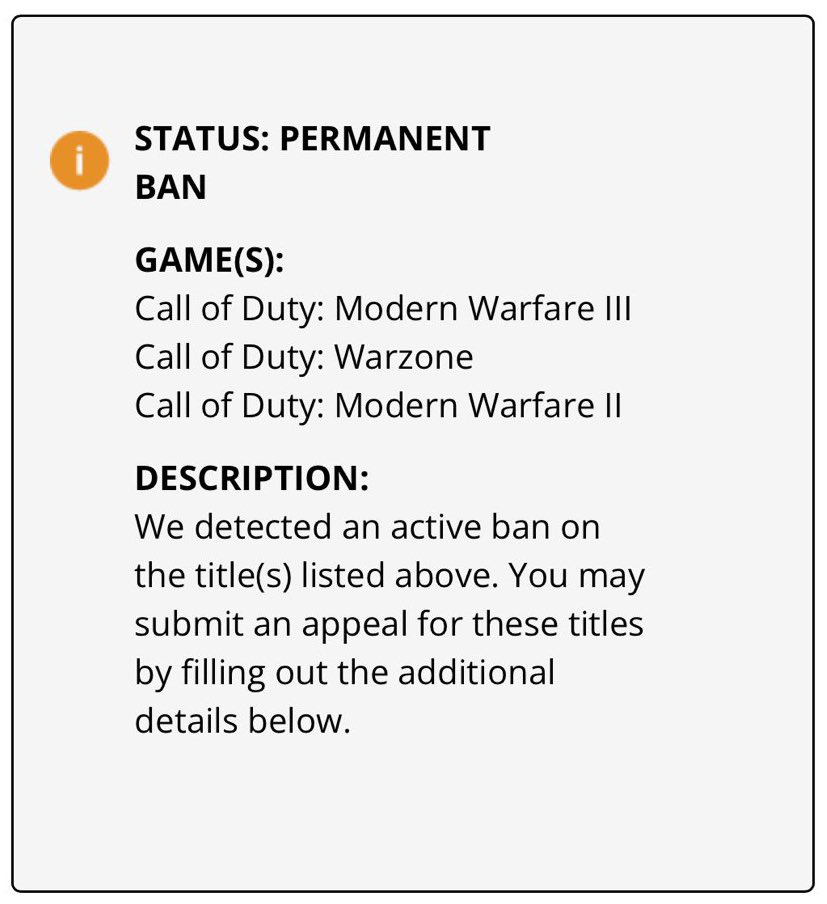
An account ban is typically a permanent ban on the account. For more info on account bans, see [How Bans Work](/learn/resources/bans.md#account-creation)
* CoD uses a report system, you can be manually banned via reports from players
A permanent game ban.
## Shadow-Bans
A "shadow-ban" is an account restriction that impacts the account's ability to matchmake and utilize online services. The account can still be logged into but cannot join games or servers and play online.
When checking your account status, you will see:
> Your account is in a limited matchmaking state due to a potential violation.
Shadow-bans are temporary and automatically lift in about one week. Shadow-bans can occur for a few different reasons:
* Flagged hardware, see - [How Bans Work](/learn/resources/bans.md)
* Player reports (typically 10+ reports will shadow ban an account)
* Playstyle (stats-heavy matches such as high KDA[^1])
{% hint style="warning" %}
Multiple shadow-bans will lead to a soft-hardware ban. This means, if you receive multiple shadow-bans on any given PC, it will be flagged and future accounts will be shadow-banned.
{% endhint %}
A shadow ban will restrict an account from matchmaking.
## I was banned, what now?
Using cheats causes that kind of thing to happen. See our [How Bans Work](/learn/resources/bans.md) guide for what to do next.
[^1]: kills to deaths ratio
---
# Agent Instructions
This documentation is published with GitBook. GitBook is the documentation platform designed so that both humans and AI agents can read, navigate, and reason over technical content effectively. Learn more at gitbook.com.
## Querying This Documentation
If you need additional information that is not directly available in this page, you can query the documentation dynamically by asking a question.
Perform an HTTP GET request on the current page URL with the `ask` query parameter, and the optional `goal` query parameter:
```
GET https://docs.dexa.im/non-dma-products/call-of-duty/bans-and-shadowbans.md?ask=&goal=
```
`ask` is the immediate question: it should be specific, self-contained, and written in natural language.
`goal` is optional and describes the broader end goal you are ultimately trying to accomplish on behalf of the user. GitBook uses it to tailor the answer towards what is most useful for that goal.
The response will contain a direct answer to the question and relevant excerpts and sources from the documentation.
Use this mechanism when the answer is not explicitly present in the current page, you need clarification or additional context, or you want to retrieve related documentation sections.
.png?alt=media)